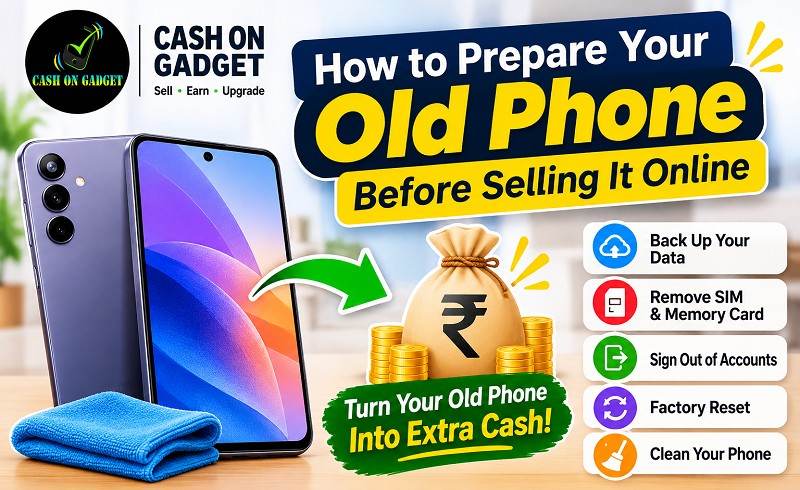
How to Prepare Your Old Phone Before Selling It Online
Prepare your old phone for sale by backing up data, removing personal information, factory resetting, and cleaning it. Then choose Cash On Gadget to sell your old mobile phone online!
Do you have an old smartphone that you no longer use? Instead of keeping it inside a drawer, you can sell it online and earn some extra money. But before selling your old mobile phone, it is important to prepare it properly.
Your smartphone contains personal information such as photos, videos, contacts, messages, passwords, and banking details. If you do not prepare your phone before selling it, your private information could fall into the wrong hands.
The good news is that preparing an old phone for sale is easy. With a few simple steps, you can protect your personal data and make your phone ready for its next owner.
In this guide, we will explain how to prepare your old phone before selling it online in simple steps.
Sell Your Old Mobile Phone Online with Cash On Gadget!
Is your old smartphone lying unused in a drawer? Give it a new purpose and turn it into extra cash with Cash On Gadget!
At Cash On Gadget, you can easily sell your old mobile phone online. Whether you own an iPhone or an Android smartphone, simply share your phone details to get started.
We accept smartphones from popular brands, including Apple, Samsung, Google, Xiaomi, Motorola, OnePlus, OPPO, Vivo, Realme, POCO, iQOO, Nothing, TECNO, and Infinix.
Ready to sell your old phone? Choose Cash On Gadget for a simple and convenient selling experience! Contact Cash On Gadget Today!
Tips To Prepare Your Old Phone Before Selling It Online
1. Back Up Your Important Data
Before selling your old smartphone, save all your important information. Your phone may contain family photos, videos, contacts, documents, and other files that you do not want to lose.
You can back up your data using:
· Google Drive: Save important files and documents.
· Google Photos: Store your photos and videos.
· iCloud: iPhone users can save their data to iCloud.
· Computer or Laptop: Transfer your important files using a USB cable.
Always check that your backup is complete before moving to the next step.
2. Remove Your SIM Card and Memory Card
Many people forget to remove their SIM and memory cards before selling their phones.
Your SIM card may contain important contacts and is connected to your mobile number. Your memory card may contain personal photos, videos, and documents.
Before handing over your old phone:
· Remove your SIM card.
· Remove your microSD memory card, if available.
· Check the SIM tray carefully.
· Keep these cards safely with you.
This small step can help protect your personal information.
3. Sign Out of All Your Accounts
Your smartphone may be connected to several personal accounts, including Google, Gmail, Apple ID, WhatsApp, and social media applications.
Before selling your phone, sign out of your accounts and remove your device from account services where necessary.
For Android phones, remove your Google account before performing a factory reset. For iPhones, sign out of your Apple Account and turn off Find My iPhone.
This also helps the next owner set up the phone without account activation problems.
4. Perform a Factory Reset
A factory reset is one of the most important steps when preparing your old phone for sale.
It removes your personal information, applications, settings, and saved accounts from the device.
For Android phones:
· Open Settings.
· Search for Factory Reset or Reset Options.
· Select Erase All Data.
· Enter your phone password if required.
· Confirm the reset.
For iPhones:
· Open Settings.
· Select General.
· Tap Transfer or Reset iPhone.
· Choose Erase All Content and Settings.
· Follow the instructions.
Remember to back up your data and remove your accounts first. After resetting, check that the phone displays the initial setup screen.
5. Clean Your Old Smartphone Properly
A clean phone can create a better first impression when you sell it online.
You do not need expensive cleaning products. A soft microfiber cloth is usually enough to clean the screen and body.
Follow these simple tips:
· Remove dust from the screen and back panel.
· Clean the camera area gently.
· Wipe the charging port carefully without inserting metal objects.
· Remove old stickers and dirt.
· Clean the phone case separately.
Avoid using excessive water or spraying cleaning liquid directly onto your phone.
6. Check Your Phone's Condition
Before selling your old mobile phone, check whether all its features are working properly.
Test the following things:
· Touchscreen and display.
· Front and back cameras.
· Speaker and microphone.
· Charging port.
· Power and volume buttons.
· Wi-Fi and Bluetooth.
· Battery performance.
· Fingerprint sensor or Face ID.
If your phone has scratches, dents, a cracked screen, or battery problems, be honest about its condition.
Knowing your phone's condition will help you get a fair price and avoid confusion during the selling process.
7. Keep the Original Accessories
Do you still have your phone's original box, charger, cable, or purchase bill?
Keep these items ready before selling your old smartphone. Original accessories and the purchase invoice may help buyers understand the phone's history and condition.
However, accessories are not always necessary to sell a used phone.
8. Check Your Old Phone's Market Value
Before selling your smartphone online, find out how much it is worth.
The resale value of a mobile phone depends on several factors, such as:
· Brand and model.
· Phone storage capacity.
· Physical condition.
· Battery health.
· Age of the device.
· Demand for that particular model.
Compare similar used phone prices to understand the market value. Sharing accurate details about your phone can also help you receive a suitable offer.
9. Choose a Trusted Platform to Sell Your Old Phone Online
Once your smartphone is ready, the next step is choosing a reliable platform to sell it online.
Look for a platform that offers a clear selling process, transparent pricing, and proper communication.
Avoid sharing your passwords, OTPs, or banking PINs with anyone. Always confirm the payment before handing over your device.
A trusted selling platform can make the process easier and more comfortable.